
FREE 2D CAD · OPTIONAL AI · BETA
Measure the drawing, not a screenshot.
Open supported 2D DWG or DXF geometry in CadFreely to check distances and areas. A shared Viewer link also lets a client pan, zoom and measure without editing the owner’s drawing.
Check a known distance first
- Open CadFreely and use Open drawing to select a copy of your DWG or DXF. For a client link, open the link supplied by the drawing owner.
- Choose Fit or Zoom Extents and check the active space. Start in Model when checking model geometry.
- Inspect the units. A 4000-unit wall could represent 4000 mm or 4000 m; the numerical geometry alone cannot tell you what its author intended.
- In a shared viewer, choose Distance. In the full editor use DIST. Pick two known endpoints and compare the displayed distance with a trusted dimension or source file.
- Zoom in before picking small details. Use endpoint snaps when available; a tap near a line is not automatically its exact endpoint.
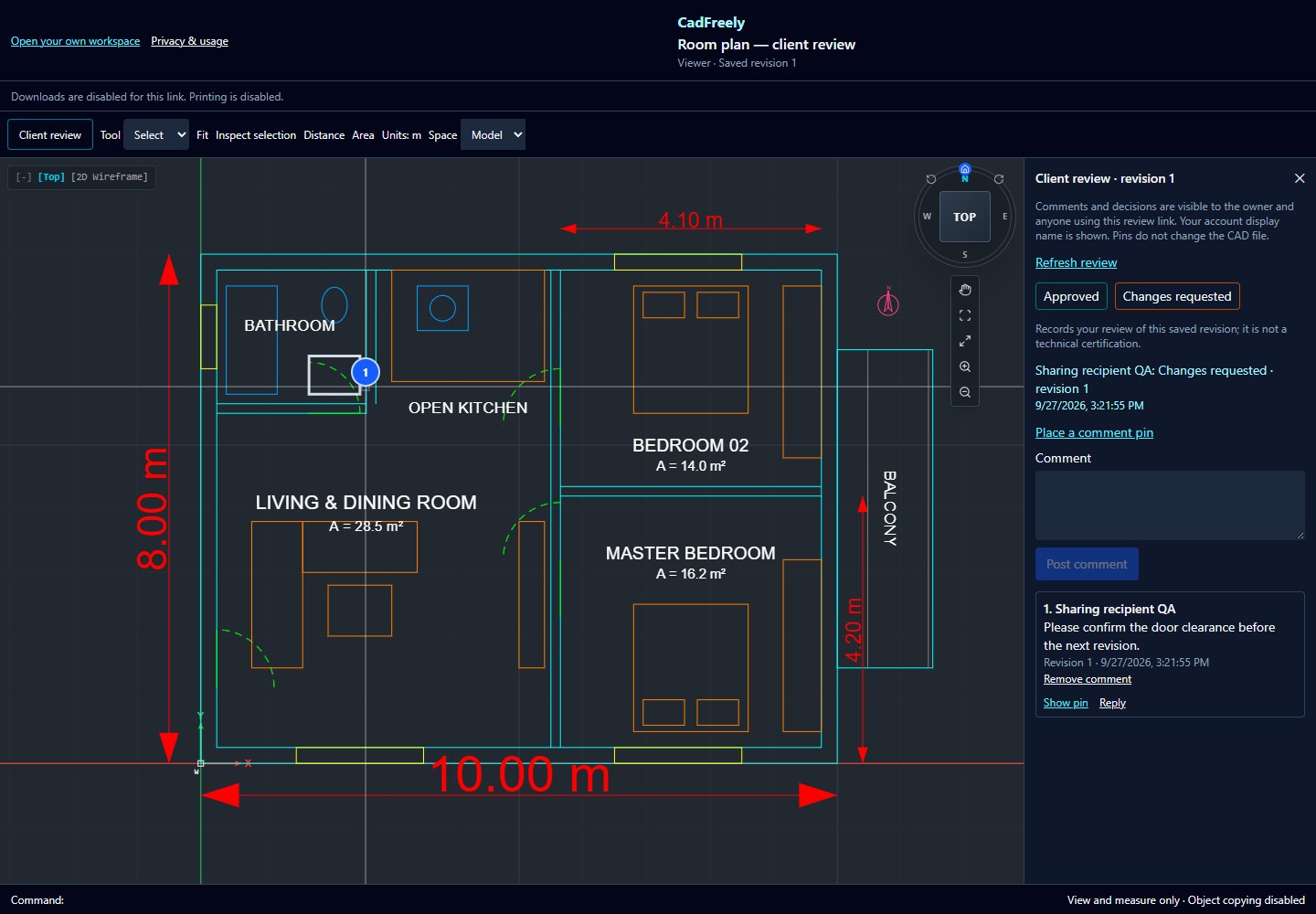
Distance, area and existing dimensions
Distance checks two points. Area can inspect supported geometry or a boundary defined with points. For a dimension already in the drawing, choose Select, select the dimension and open Inspect selection.
Dimension text may have been manually overridden. Compare the label with the geometry and do not assume that displayed text is a fresh measurement. A boundary with gaps, overlaps or the wrong units also needs checking before using its area.
Model space and a plotted sheet are different
A paper layout can display scaled views of the model. Measuring paper-space coordinates does not necessarily give the real-world length in a viewport. Return to Model for model checks and verify plot scale separately when printing.
CadFreely is a 2D editor in beta. Imported custom objects, missing references, fonts or unusual coordinate systems need a check against the originating CAD application. Keep the original file.
What a Viewer can do
Viewer links allow pan, zoom, selection inspection and measurements. They hide editing tools and block object copying through CadFreely. File downloads and printing follow the owner's separate choices. Measuring does not grant permission to edit, copy or export the drawing.
If a measurement differs from the source, ask the owner to confirm the drawing units and saved revision. When review is enabled, place a comment pin on the area in question. Follow the client drawing-review guide.