
FREE 2D CAD · OPTIONAL AI · BETA
Your CAD workspace, sized for touch.
Use CadFreely in a compatible browser on an Android phone, tablet or foldable. Review a plan, make supported 2D edits and save a copy without installing a desktop CAD package.
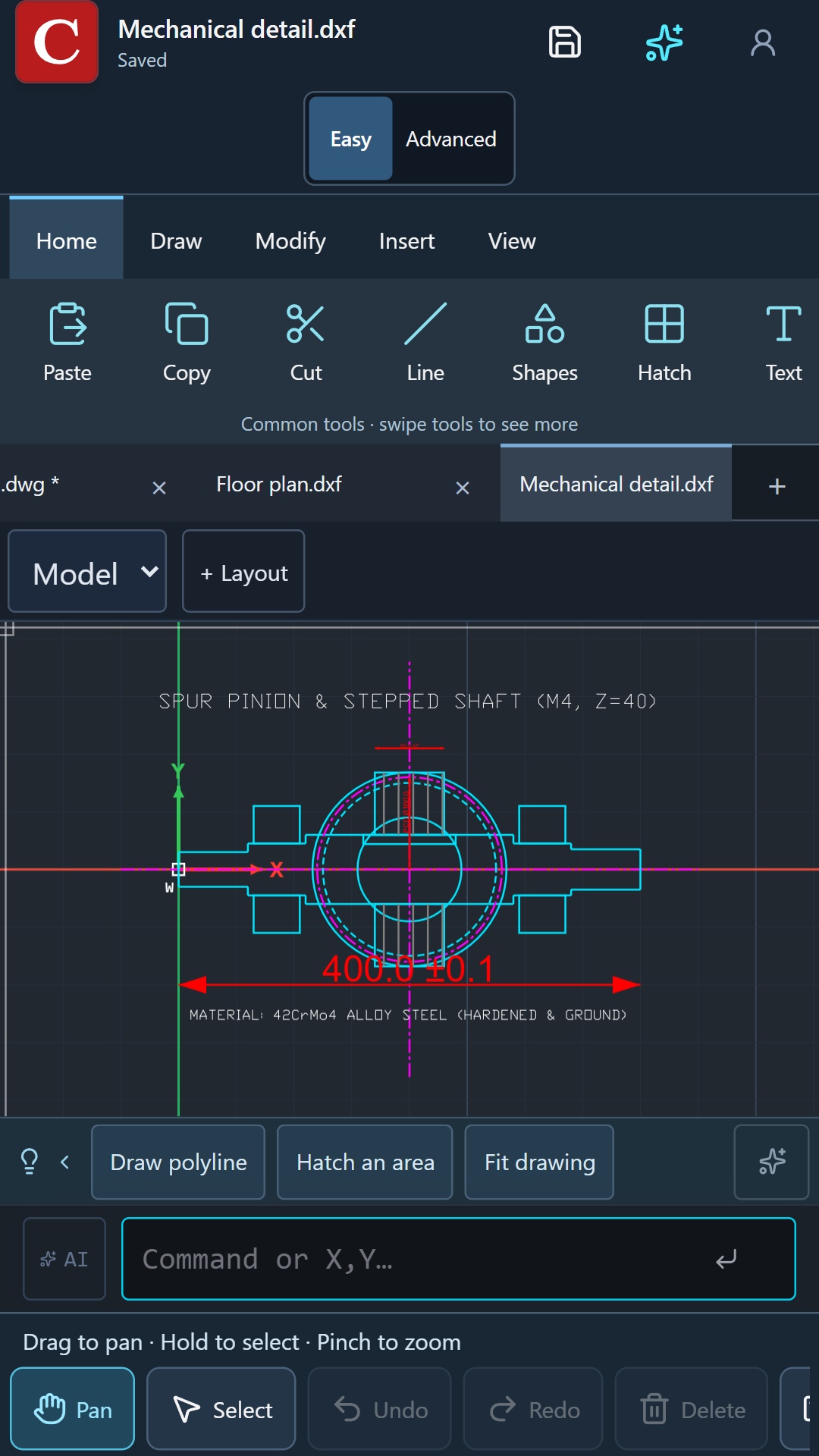
Start with a file from your device
- Open cadfreely.ai.studio with an internet connection.
- Choose the option to open a drawing, then select your DWG or DXF using the device file picker.
- Wait for the import to finish. Use Fit or Zoom Extents to bring the drawing into view.
- Use Pan to move around and pinch to zoom. Switch to Select when you want to choose objects.
- For precise geometry, use the command field and Exact point controls instead of estimating a location with your finger.
Make room for your tools
Easy mode keeps common tools close. Advanced mode exposes more of the drafting workflow. A wider tablet or unfolded screen gives you more room for the drawing and ribbon.
When the keyboard covers part of the workspace, finish or cancel the current input before repositioning the view. Save your work before switching apps during a large operation.
Know where your copy is saved
Mobile browsers often download a new copy instead of overwriting the opened file. Use Save As, choose a name and format, then check the browser's downloads.
Optional sign-in adds online drawings and existing account access. Local drawing tools can be used without an account. Follow the PDF guide when you need a sheet to share.
Open a DWG from Android’s file manager
If you have the current CadFreely Android app installed, select a DWG or DXF in your file manager and choose Open with → CadFreely. The file should become the active drawing tab. Previously open tabs stay available. If Android offers a default-app choice, choose according to your preference.
If the file does not arrive, first confirm it is fully downloaded from the message or cloud app. Try saving a local copy, then choose it using CadFreely’s own file picker. File providers and browser versions can handle temporary access differently. Keep the original file and report the source app and file type if the problem continues; do not include confidential drawings in a bug report.
Reopening CadFreely restores its saved tabs and active tab automatically. After two failed recovery attempts it opens one clean drawing while retaining recoverable data. Recovery is a convenience, not a replacement for saving your file.
Review a client's drawing on your phone
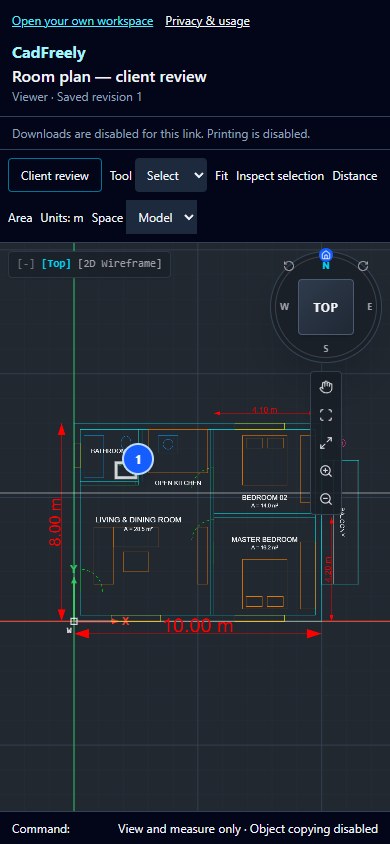
A shared Viewer link opens the same CAD canvas with Distance, Area and Inspect selection. It does not show editing controls or allow object copying. When client review is enabled, sign in to add a pinned comment or review decision.
Follow the DWG measurement guide to check units and exact points, or share a CAD drawing with your client.
Browser and Play availability
The website is available now. The CadFreely Android release has been submitted to Google Play; public availability is not yet confirmed. It opens the same web drawing engine through an installed browser. Internet access is required to load the app and use online services.
Large files, custom objects and device memory can affect the experience. Check a representative drawing on the device you intend to use.